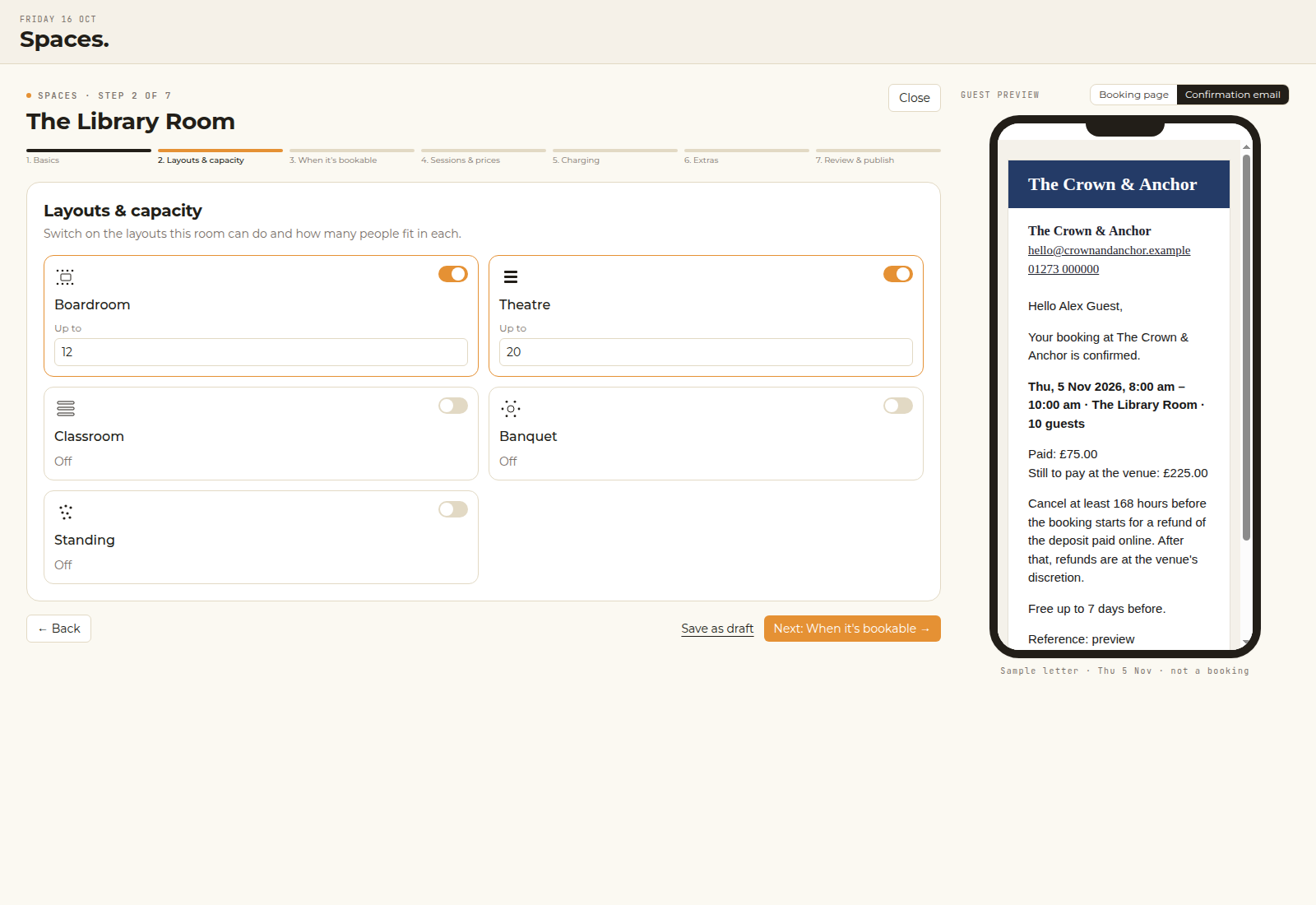
Layouts
Theatre, boardroom, banquet.
Each layout has its own capacity, so the numbers match the way the room is set.

Spaces · function rooms & boardrooms
Let guests book the function room, boardroom or snug by session or by the hour. Take the deposit when they book, and see every booking next to the rest of your venue.
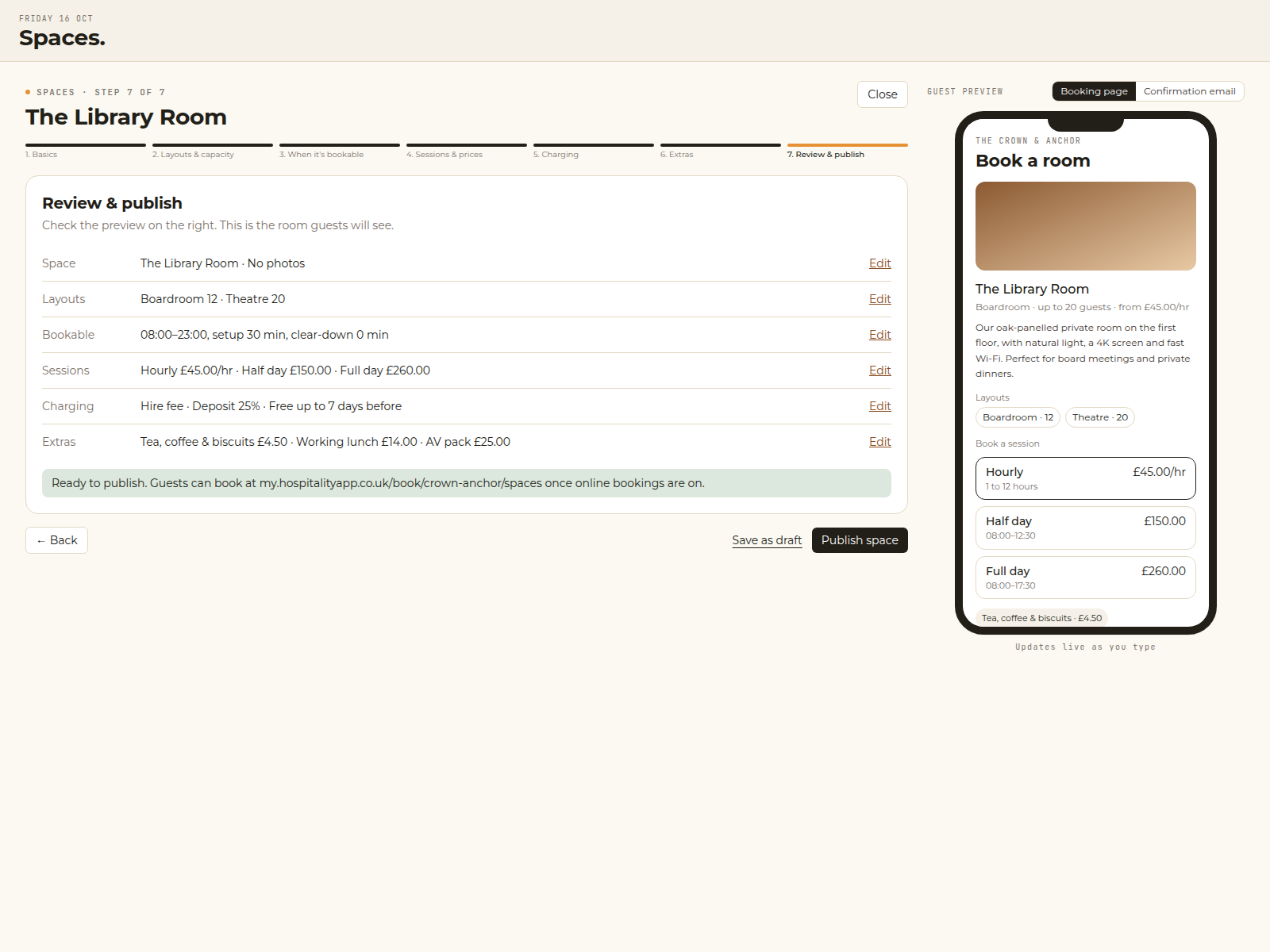
Product screen. Example data from the Crown & Anchor pilot, not a customer quote.
Kept simple
A short setup with a preview at every step, so you can see what guests will see.
Layouts
Each layout has its own capacity, so the numbers match the way the room is set.
Sessions
Set-up and clear-down time is kept free, so bookings do not run into each other.
Charging
Take a deposit or the full amount when they book, or settle on the day.
Extras
Priced per person or per booking, and added to the same bill.
For your guests
A booking page in your venue’s colours. Guests choose the space, the date and the session, add extras and pay the deposit.
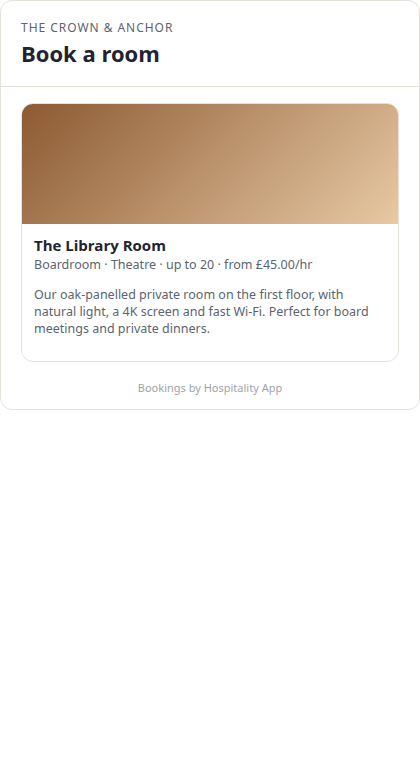
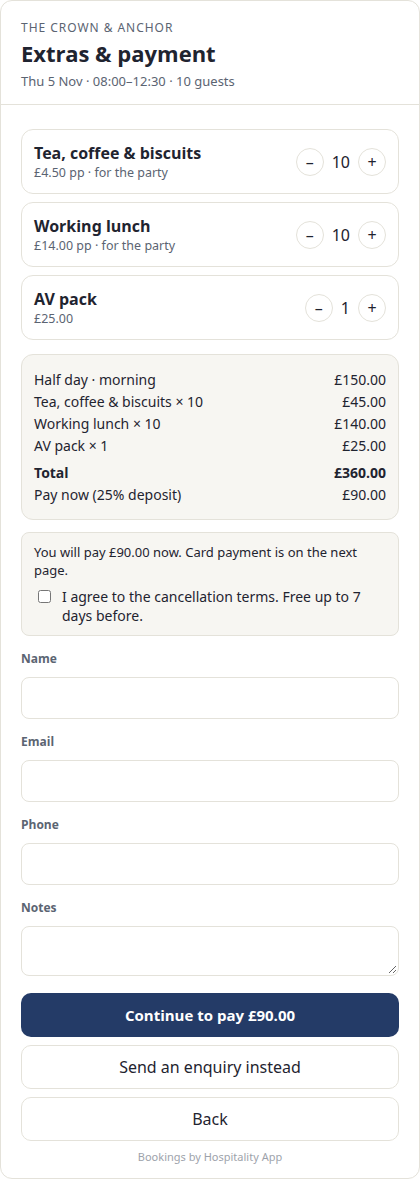
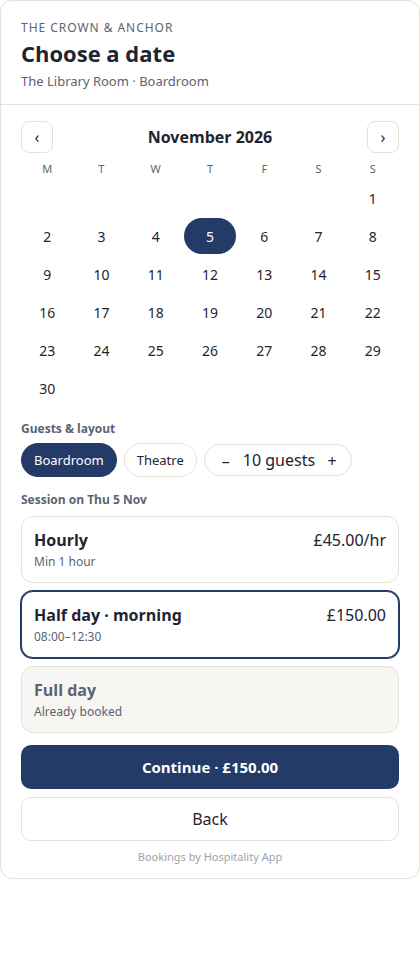
Guest booking on a phone. Example data from the Crown & Anchor pilot.
The date and session step. Example data from the pilot.
Confirmation
The guest gets the date, the session, the layout, what they have paid and what is left to pay.
The card payment goes to your own Stripe account. Hospitality App takes no commission. Stripe’s own fees still apply.
Good to know
Yes. Tables are for covers on the floor plan. Spaces are for a room booked as a whole, by session or by the hour. Bedrooms you let overnight are room management.
Yes. Switch a space to enquiry only, and guests send a request that you confirm.
Yes. Close a space for a private event, a refit or a bank holiday. The guide is Blocking dates.
Start with Setting up a function room. The same guide opens from the ? button in the app, on the Spaces screen.
Your own Stripe account. Hospitality App takes no commission on deposits. Stripe’s own fees still apply. Connect card payments before you turn a deposit on.
Yes. Spaces is included on every plan. See the plans.
Fifteen minutes, on your venue
Or talk to the team. The till, rota and payroll can still be tried free for 30 days.