Timeline
Who is in which room.
Stays are coloured by status, so checked in, confirmed, arriving and leaving stand out.

Room management
A diary that shows who is in, who is arriving and which rooms are ready. Housekeeping and maintenance in the same place, and bar and food on the room bill.
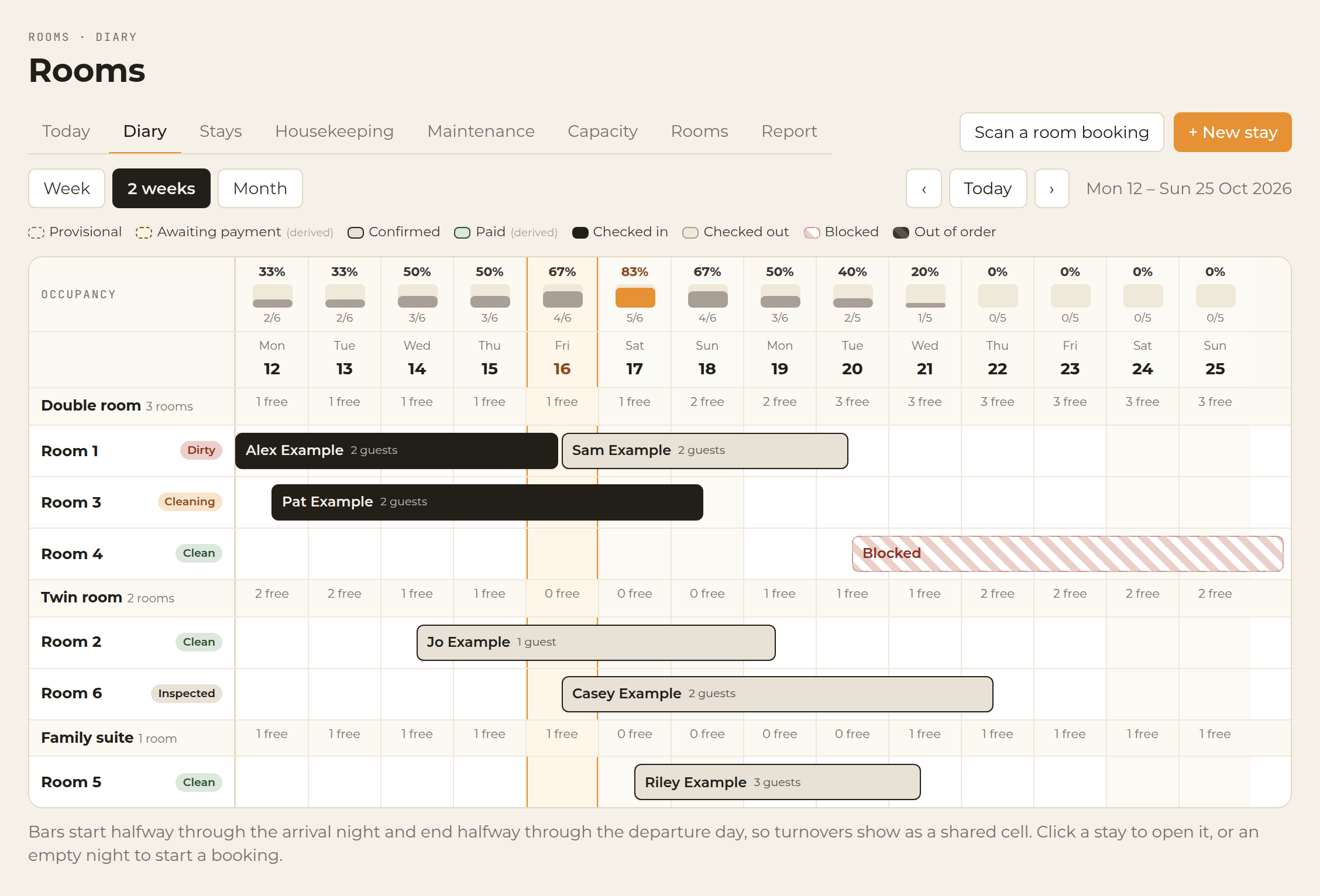
The diary, on two weeks. Example data, not a customer quote.
Animated walkthrough with example data. Actual app screens may vary.
The diary NEW
Rooms down the side, nights across the top. Open a stay, or an empty night to book. Switch between Week and Two weeks.
Timeline
Stays are coloured by status, so checked in, confirmed, arriving and leaving stand out.
Changeovers
A same-day turnaround shows the departure and the next arrival on the same night.
Blocks
Blocked and out-of-order rooms are shown on the diary and cannot be booked.
Occupancy
A percentage for every night along the top of the diary.
Today NEW
One screen for the day. Check guests in and out, post to the bill and see who is staying over.
Housekeeping NEW
Each room shows its status, who is cleaning it and whether a guest is arriving early. Housekeepers update it from their phone.
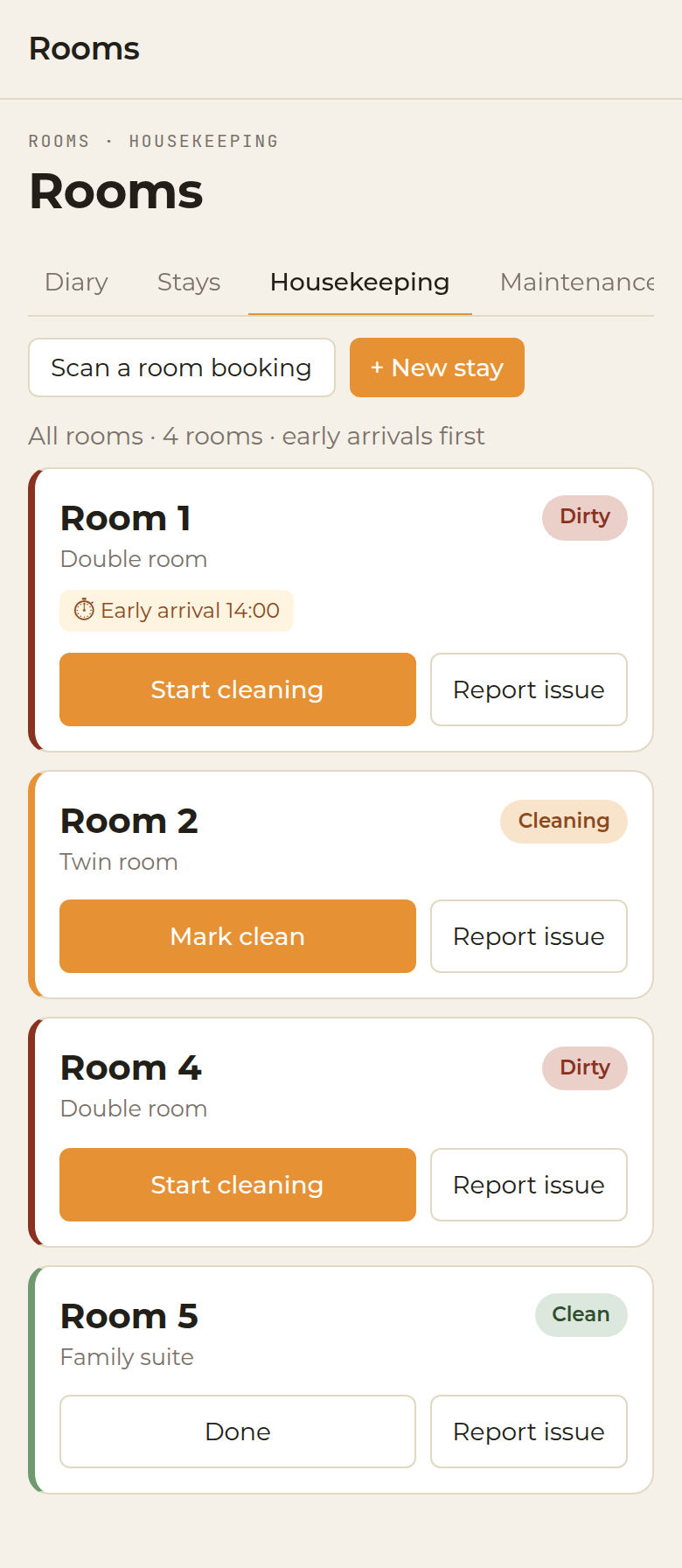
Housekeeping on a phone. Example rooms only, with no guest names.
Capacity & maintenance NEW
Occupancy, average room rate and revenue per available room for the week or the month. Log a repair, and take the room out of order for just those dates.
Rooms sold against rooms available, guests, ADR and RevPAR.
A heat map showing which nights and room types are filling up.
Every issue with its priority, who is on it and any out-of-order dates.
Bar and food
One bill for the stay. No paper chits. Nothing missed.
At the bar on the till, or at the table on a staff phone. Food and drink, on the same tab.
From that open tab, charge it to the guest’s room.
The order sits on that stay, next to the room nights.
Anything not already paid — the room, if nothing was taken at booking, plus bar and food — is settled at check-out by card, cash or bank transfer.
An itemised VAT invoice. Room nights are at 20% VAT. Bar and food keep the VAT already on the till.
Illustrative bill, to show how the lines sit together. Not a live folio.
When they book
On the deposit step of a new stay, choose one of three. A card payment goes to your own Stripe account.
Hospitality App takes no commission. Stripe’s own fees still apply. Booking a stay walks through the step.
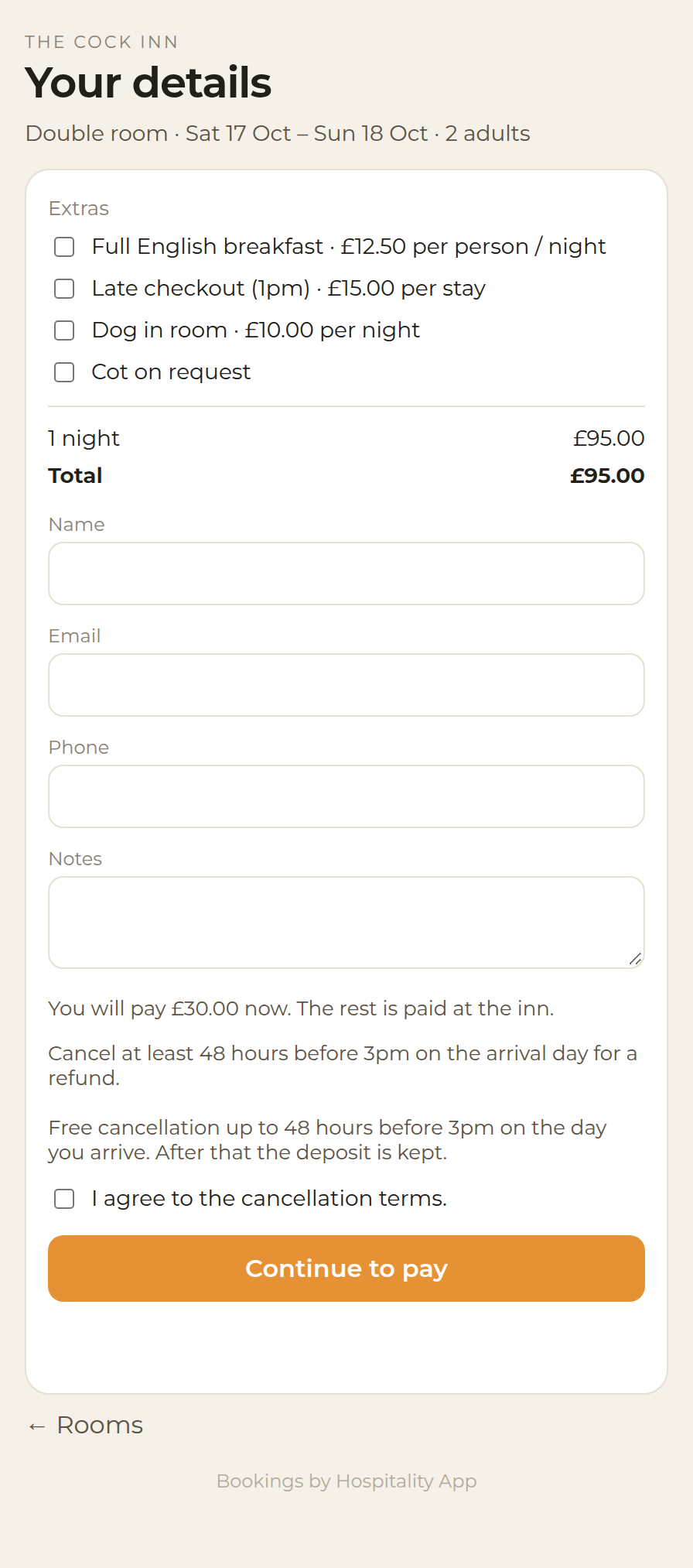
The guest’s pay step on the room booking page, once a deposit is due. Example data for The Cock Inn. Nothing is charged.
Good to know
From an open tab on the till, or at the table on a staff phone, choose the room. It sits on the stay and is paid at check-out. Staff phone ordering is the same idea as the till, carried to the table.
No. Rooms sit with the till, the rota, payroll and reports. One login.
No. The diary stops that, and out-of-order dates block the room too.
Yes. When the stay is booked, choose no deposit, a card deposit, or pay in full. The card payment goes to your own Stripe account. Hospitality App takes no commission. Stripe’s own fees still apply. Anything still owed, including bar and food on the room, is settled at check-out by card, cash or bank transfer, and the invoice is emailed.
No. Stays are entered in Hospitality App. There is no connection to Booking.com, Expedia or Airbnb.
Each screen has a ? button with the guide for that screen. The full set is in the rooms help, starting with the diary, housekeeping and capacity.
It is included on every plan. Charging bar and food to a room needs the till (Complete and up). A function room booked by the session is Spaces, included on every plan.
Pubs with rooms, inns and small hotels. Pubs and bars, hotels and B&Bs can all start from the same app.
Fifteen minutes, on your venue
Or talk to the team. The till, rota and payroll can still be tried free for 30 days.