
Rooms
Using the room diary
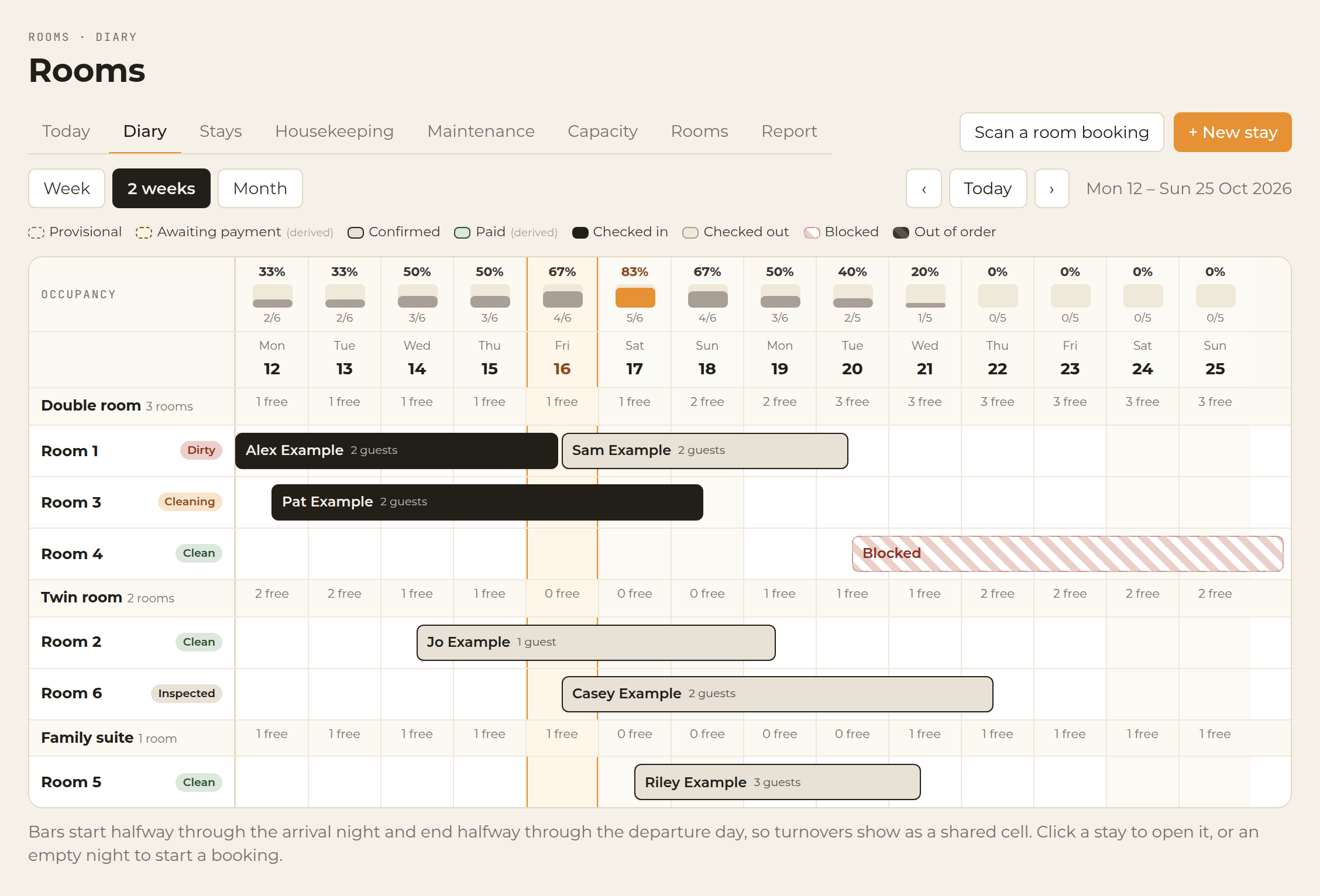
Week and two-week diary. Stays, arrivals, departures and blocked rooms, with occupancy for each night.
Open Rooms and stay on Diary. Rooms run down the side and nights run across the top. Switch between Week and 2 weeks.
Select a stay to open it, or an empty night to book one. The diary shows the guest’s name, and how many people are staying, across those nights.
Stays are coloured by status:
- Checked in
- Confirmed
- Arriving
- Leaving
A same-day turnaround shows the departure and the next arrival on the same night, so the changeover is visible. A Blocked room is drawn on the diary and cannot be booked. Out-of-order dates from a repair block those nights in the same way.
Each night along the top shows how full you are, as a percentage of rooms occupied.
The other tabs on this screen are Today, Housekeeping, Capacity and Maintenance.
? This article also opens from the Rooms screens in the app.