
Rooms
Housekeeping on a phone
Dirty, cleaning, clean or inspected. Update it from a phone, and report a problem with a photo.
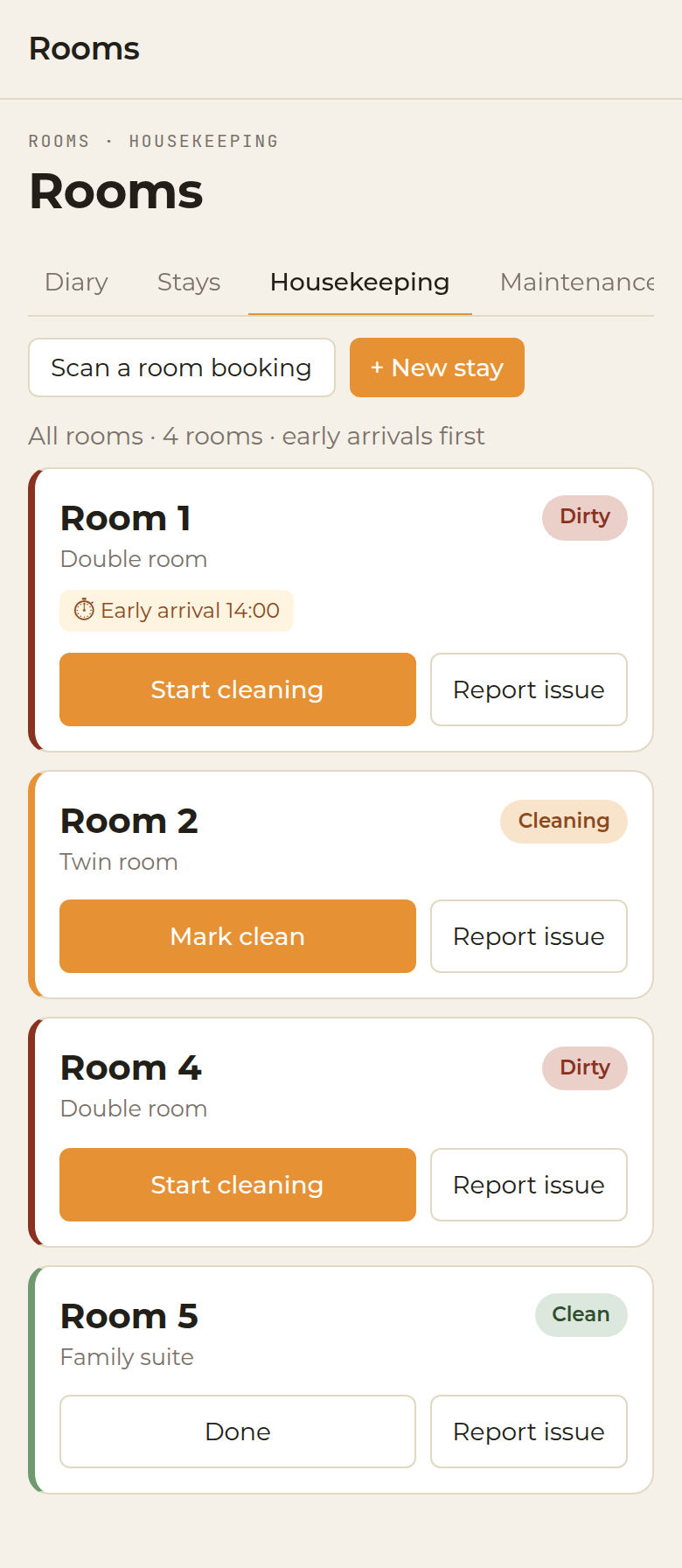
Open Rooms and choose Housekeeping, on the web or on a phone. Each room shows its status, who is cleaning it, and whether a guest is arriving early.
The statuses are:
- Dirty
- Cleaning
- Clean
- Inspected
Filter the list by status, or show every room. Rooms with an early arrival are marked and listed first. A guest who is still in house is shown on the room, so it is not cleaned while they are there.
Choose Start cleaning when the room is begun. When something is wrong, use Report a problem and attach a photo. Repairs, with a priority and any out-of-order dates, are logged under Maintenance.
? This article also opens from the Rooms screens in the app.